Area 51 escaped meme.
The joke and the workflow.
The version of the Area 51 escaped meme examined here puts alien-escape captions over a short group dance. Below is a TikTok example we checked, followed by two ways to make an original scene with a similar awkward-dance premise.
Quick answer: The joke frames the dancers as visitors trying to pass for human. We have not verified whether the linked clip uses AI. Kling 3.0 Motion Control and Veo 3.1 are options for making a new animation; neither is a confirmed source of this video.
By the Tool Pantry team. Checked October 25, 2026. We viewed the linked TikTok clip and checked the model documentation. The original examples and prompts below show ways to make your own fictional scene.
What does the meme mean, and where is the video?
In this version, the caption supplies the story: a group has supposedly escaped Area 51 and is trying to imitate ordinary human movement. The dance becomes the punchline. That is our reading of the captioned joke, not evidence of an escape or an event involving aliens.
Watch the matching indoor group-dance post on TikTok. The 8-second clip shows three figures dancing in a room and carries an Area 51 hashtag. Its overlay jokes about aliens imitating human movement. This matches the indoor version in the search results we checked; it does not establish the source of every video grouped under the search term.
The post uses this TikTok sound page. A platform label saying “original sound” does not establish the earliest recording or identify the underlying song. We also have not established that the posting account represents any person depicted, or that it created the footage.
Four original examples
Two generated videos and two starting-image examples show different versions of the joke. Each uses our original fictional characters, separate from the linked TikTok footage. The supermarket and laundry-room motion prompts have no reviewed video result here; caption ideas are supplied as text to add later.
Download all four sets of prompts (TXT). Every card has a starting JPEG and prompts TXT. The living-room and kitchen cards also include their generated videos as MP4 downloads.
Living-room trio
Eight seconds at 720 × 1280. The poster is a frame from this video. This web export is silent, with no added captions or music.
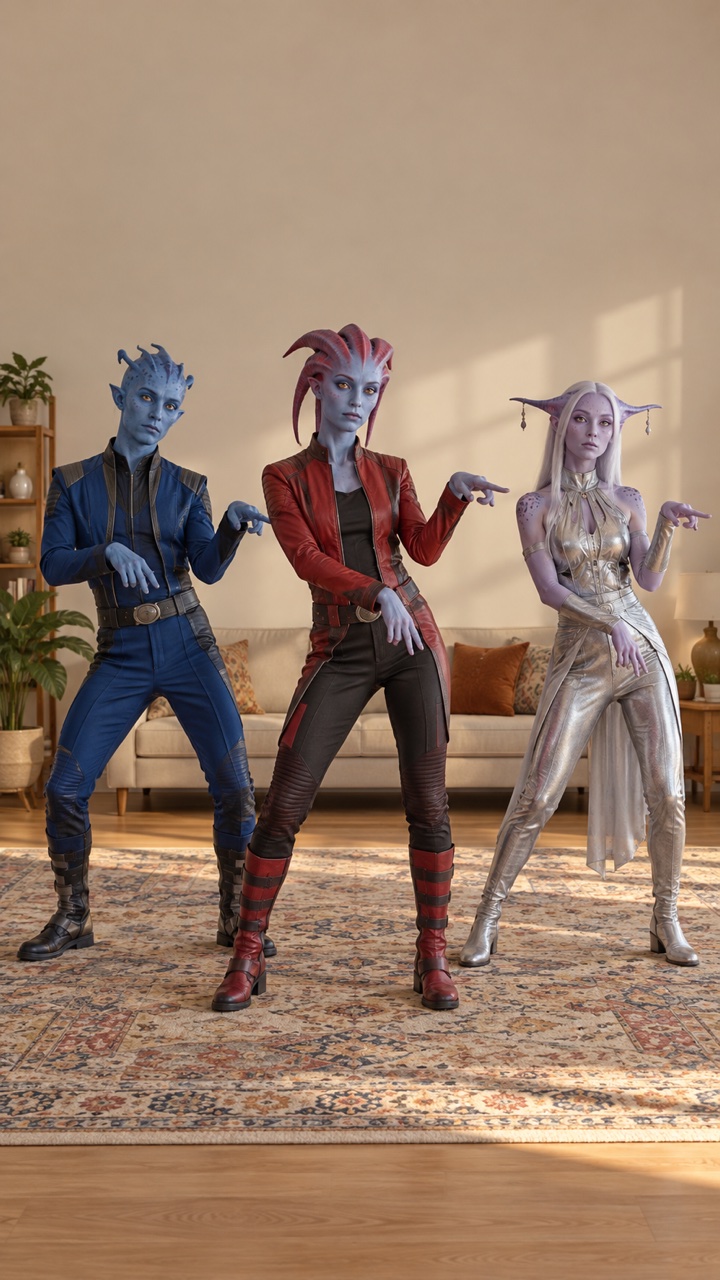
Starting frame
Original AI-generated image. Download the JPEG to use with this scene’s video prompt.
Starting JPEG · Video MP4 · Prompts TXT
Caption idea: “First day outside Area 51. Trying to blend in.”
In this take, the three visitors bend their knees, make small steps, and finish standing still. Their outfits and the room remain recognizable. They move mostly together: the requested half-beat delay is not clearly reproduced. Use this as a starting point for the joke, rather than a demonstration of precise dance timing.
Image and video prompts
Image prompt — Living-room trio
Vertical 9:16 frame for a playful science-fiction dance scene. Three original adult humanoid visitors stand in a plain beige living room, with a patterned rug and soft afternoon light. They have visibly fictional, stylized features and ordinary human body proportions. The center visitor wears a red jacket; the others wear blue and silver. All three are shown from head to toe, spaced apart with room around their arms and feet. Deadpan expressions, slightly stiff posture, eye-level fixed camera, wide composition. Leave clear space above their heads for a caption to be added later. Original character designs, no real-person likenesses, no written text or logos.Video prompt — Living-room trio
Animate the supplied starting frame as one continuous 8-second comedy shot. Keep the camera fixed at eye level and keep all three fictional visitors fully visible. The center visitor makes a small knee bend, pauses with a serious expression, then takes two stiff side steps and stops. The two background visitors attempt the same simple move half a beat late. Small deliberate arm gestures, restrained movement, awkward timing, deadpan mood. Preserve each character's clothes, proportions, and position in the room. Keep their bodies separated and their feet on the floor. End in a still pose. Quiet room ambience without speech or music. Keep the picture free of captions; text will be added during editing.Kitchen rehearsal
Five-second excerpt at 720 × 1280 from an 8-second generation request. The poster is a frame from this excerpt. This web export is silent, with no added captions or music.
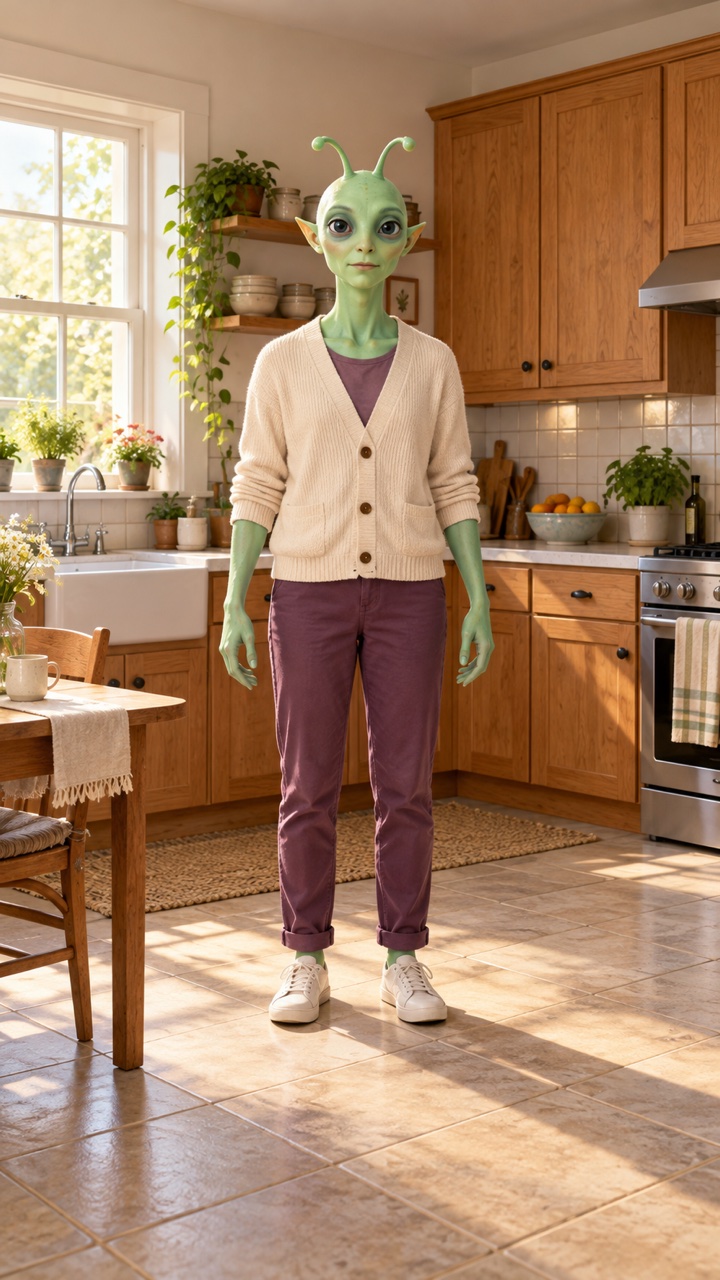
Starting frame
Original AI-generated image. This JPEG was used for the video above.
Starting JPEG · Video MP4 · Prompts TXT
Caption idea: “First morning outside Area 51. Practicing being normal.”
Observed in this 5-second excerpt: the visitor lifts a knee high, steps sideways, and turns its head. The high knee is larger than the requested small bend. The ending of the requested 8-second shot is not included.
Image and motion prompts
Image prompt used — Kitchen rehearsal
Vertical 9:16 full-body frame for a playful science-fiction comedy. One original adult humanoid alien visitor stands in the clear floor area of a modest sunlit kitchen. The visitor has mint-green skin, small rounded antennae, large calm eyes, and ordinary adult human body proportions, wearing a cream cardigan, plum trousers, and plain sneakers. Visibly fictional character design, deadpan expression, arms relaxed and separated from the torso, slightly stiff posture. Warm wooden cupboards, a tiled backsplash, and a small breakfast table at the edge of the shot. Show the complete head, hands, legs, and shoes with empty floor space on both sides for a small step. Fixed eye-level camera, wide composition, soft morning light, convincing fabric and room textures. Leave clear space above the head for a caption added later. No other characters, no real-person likenesses, no written text or logos.Video prompt used — Kitchen rehearsal (8-second request)
Animate the supplied starting image as one continuous 8-second comedy shot. Keep the camera fixed at eye level and the single fictional visitor fully visible from head to shoes. The visitor pauses with a deadpan face, makes one small knee bend, then takes one short stiff step to the side and returns to the starting spot. Keep the arm movements small and awkward. Finish standing still for the final second. Preserve the mint-green skin, cream cardigan, plum trousers, shoes, and kitchen layout. Keep the feet in contact with the floor during each planted step. No new characters or objects. Quiet room ambience without speech or music. No captions or written text.Supermarket greeting
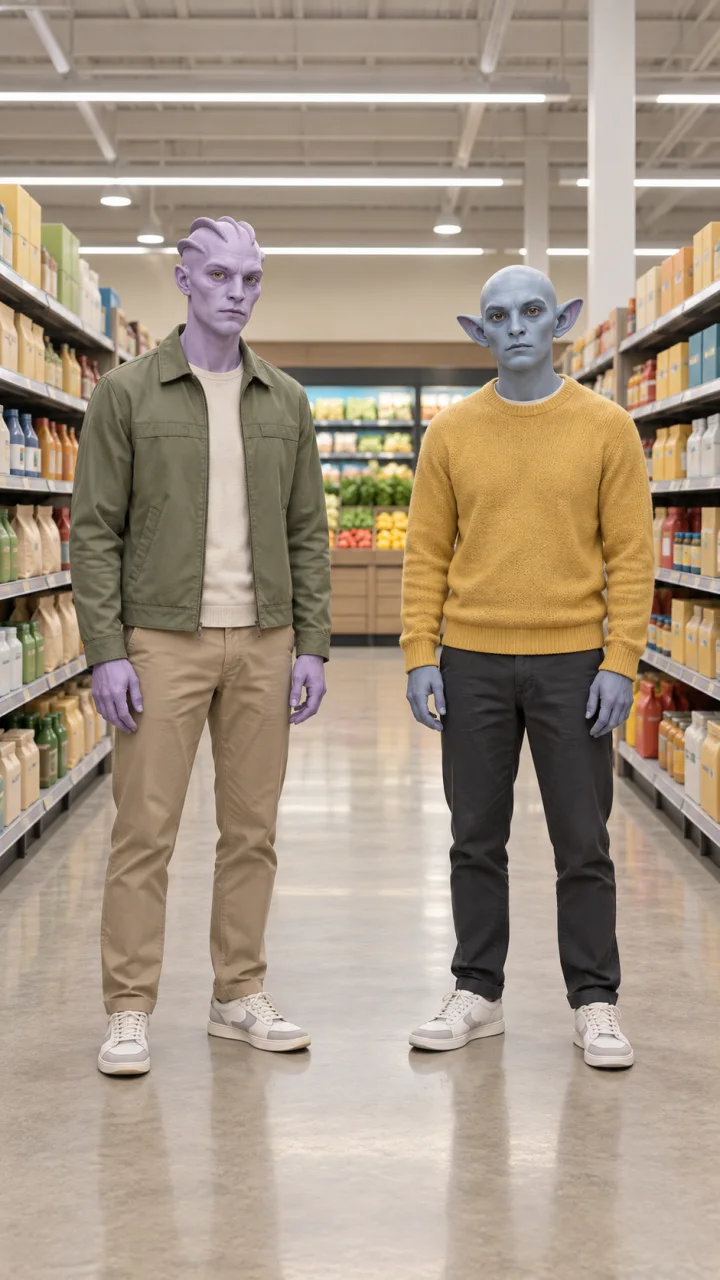
Image example · Video not reviewed
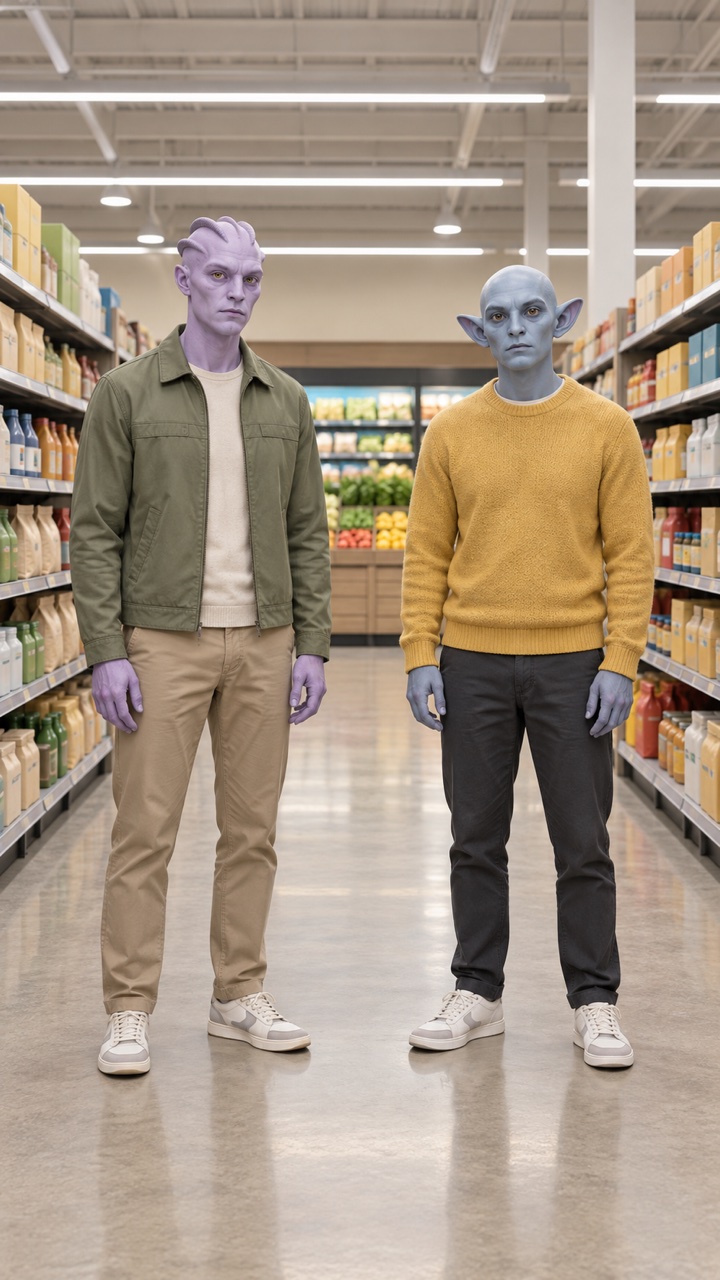
Caption idea: “They said to act natural in the grocery store.”
Suggested motion: both visitors give a small, stiff wave while their feet stay planted.
Image and motion prompts
Image prompt used — Supermarket greeting
Vertical 9:16 full-body frame for a playful science-fiction comedy. Two original adult humanoid alien visitors stand beside each other in a spacious supermarket aisle, with a clear gap between their bodies. One has lavender skin and small smooth head ridges, wearing a sage-green jacket and tan trousers. The other has blue-gray skin and rounded pointed ears, wearing a mustard-yellow sweater and dark trousers. Both have ordinary adult human body proportions, plain sneakers, and serious deadpan expressions. Their arms rest separately at their sides. Show both complete bodies including shoes, with clear floor space around their hands and feet. Shelves contain simple unbranded packages without readable markings. Fixed eye-level camera, wide composition, soft overhead store lighting, tactile clothes and realistic room materials. Leave clear space above their heads for a caption added later. Original fictional character designs, no human shoppers, no real-person likenesses, no written text or logos.Motion prompt (video not reviewed) — Supermarket greeting
Animate the supplied starting image as one continuous 8-second comedy shot. Keep the camera fixed and both fictional visitors fully visible from head to shoes. After a brief pause, both visitors slowly raise one hand to chest height, make one small stiff greeting wave, then lower their hands and freeze with serious expressions. Keep the gesture restrained and slightly awkward. Their feet stay planted and their bodies remain separated. Preserve the lavender and blue-gray skin colors, green jacket, yellow sweater, trousers, shoes, and supermarket shelves. No new people or objects, no camera movement, no cuts. Quiet indoor ambience without speech or music. No captions or written text.Laundry-room shuffle
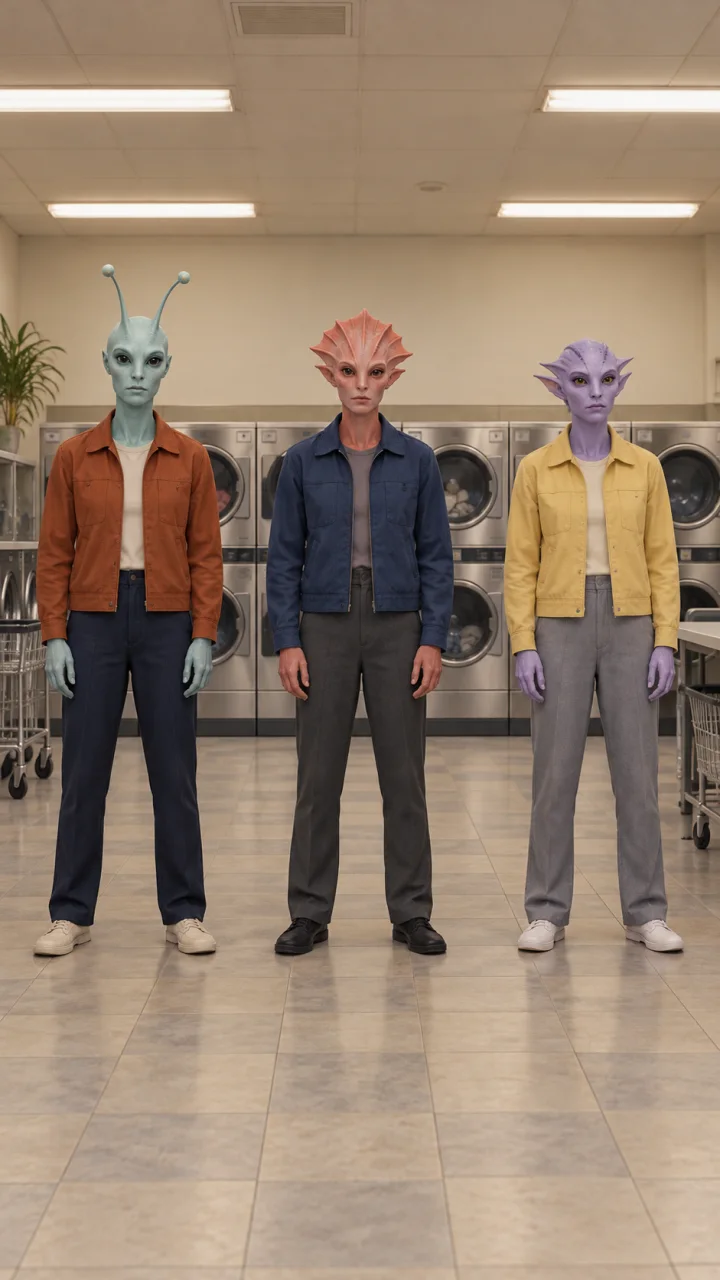
Image example · Video not reviewed
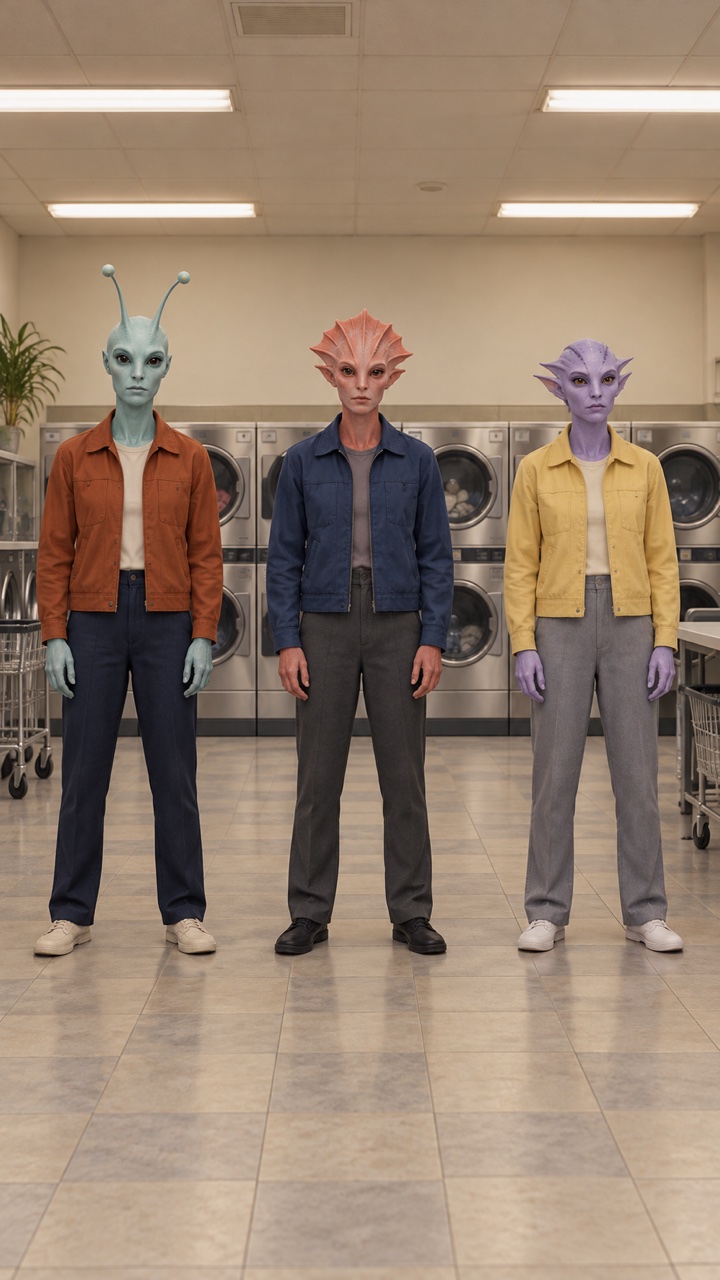
Caption idea: “Laundry day on Earth. Nobody suspects a thing.”
Suggested motion: the trio takes one small side step and returns to its starting positions.
Image and motion prompts
Image prompt used — Laundry-room shuffle
Vertical 9:16 full-body frame for a playful science-fiction dance scene. Three original adult humanoid alien visitors stand in a row in an empty neighborhood laundromat, spaced apart with clear gaps between their bodies. The center visitor has soft coral skin and a short fan-shaped head crest, wearing a dark blue work jacket and charcoal trousers. The visitor on the left has pale teal skin and rounded antennae, wearing a rust-orange jacket and navy trousers. The visitor on the right has lilac skin and small swept-back ears, wearing a pale yellow jacket and gray trousers. All have ordinary adult human body proportions, simple flat shoes, and deadpan expressions. Arms relaxed, slightly stiff posture. Show all three complete bodies from head to shoes, leaving clear floor space to either side for a small step. Unbranded front-loading washing machines line the back wall, warm white overhead light, muted tile floor. Fixed eye-level camera, wide composition, convincing fabric and room textures. Leave clear space above their heads for a caption added later. Original fictional character designs, no other people, no real-person likenesses, no written text or logos.Motion prompt (video not reviewed) — Laundry-room shuffle
Animate the supplied starting image as one continuous 8-second comedy shot. Keep the camera fixed at eye level and all three fictional visitors fully visible. After a short pause, all three make a small knee bend, take one short stiff side step in the same direction, then step back to their original spots. Their arm gestures stay small and deliberate. Finish standing still for the final second with deadpan expressions. Keep clear gaps between the visitors and preserve their distinct faces, skin colors, jackets, trousers, shoes, and positions in the laundromat. Keep the washing machines and room still. No new characters, no cuts or camera movement. Quiet indoor ambience without speech or music. No captions or written text.Which AI model could make a similar video?
The source model is unknown. The checked post did not disclose a model, prompt, or production workflow. A finished clip could combine recorded footage, editing, or generative tools. Its appearance alone is not enough to attribute it to Kling, Veo, or another model.
For a new, fictional version, choose by how much control you need over the dance:
| Route | What you provide | What it is useful for |
|---|---|---|
| Kling 3.0 Motion Control | A character image and a performance video. | Transferring a recorded movement to one character. Use this when the timing of a gesture matters. A text prompt alone does not supply the choreography. |
| Veo 3.1 in Google Flow | A scene prompt, optionally with a starting image. | Inventing a short dance scene. It can follow a description of actions, but that does not promise the exact movements of an existing clip. |
Kling’s Motion Control guide describes assigning reference motion to a character. Runway’s documentation for its Kling integration recommends a single performer; when a reference contains several people, it takes motion from the person occupying the largest part of the frame. Do not expect three independently controlled dancers from one group upload.
Google Flow’s model table lists text-to-video and first-frame animation for Veo 3.1, including portrait output and an 8-second setting. Check the selected model and credit cost before generating. The Flow instructions below are based on that documentation. Old Gemini API examples using Veo preview model IDs are a separate route, and Google documents their October 22, 2026 shutdown.
Prompt 1: make an original starting image
Choose an example above and open its image and video prompts. Generate the starting image first, or download that card’s JPEG to use ours. Invented characters let you control the clothes, spacing, and expressions. For Kling Motion Control, start with the single kitchen visitor rather than the group scenes.
Before animating, check that each body is separate and the feet are visible. If a hand or leg is already malformed in the starting image, fix the image first. Keep the still as your reference when comparing successive outputs.
Prompt 2: animate the scene in Veo
Use the video or motion prompt from the same card as your starting image. The living-room and kitchen prompts produced the reviewed videos above; we have not reviewed video results for the other two scenes. If you use Flow, select video generation, choose Veo 3.1 and a portrait 8-second output, then add your image as the starting frame. Google’s video creation instructions explain where to choose the model and attach frames. These Flow steps come from the documentation; our tested generation route is described under What we checked.
Each prompt asks for a premise, not an exact replica. If several figures merge, slide, or lose consistency, reduce the scene to one character and one movement. If the dance timing is the part you need to preserve, use a performance reference instead of adding more timing instructions to the prompt.
For a specific dance: use a motion reference
Record a short performance yourself, or use footage you have permission to reuse. Keep one performer fully visible in a continuous shot. A simple test routine is a pause, a knee bend, two side steps, and a held final pose. The recording supplies those movements; an image supplies the fictional character.
Upload both to Kling Motion Control. Match the framing of the character image to the performance, leaving space for arms and feet. Kling’s guide says text can describe the setting and visual treatment, while the reference video controls motion. An optional environment prompt is:
The fictional character performs in a plain beige living room with a patterned rug and soft afternoon light. Keep the original costume colors, a stable background, clear floor contact, and a deadpan science-fiction comedy mood.Begin with one dancer. A three-character scene needs a different production plan, such as separately generated performances and manual compositing; it is not a guaranteed one-click result. In Runway’s Kling integration, the Original Sound setting can retain the reference audio or leave the result silent. That setting does not identify or retrieve the TikTok sound.
Add the joke after the motion works
Add readable text in a video editor after generation. An original caption could be “First day outside Area 51. Trying to blend in.” Keep it clear of faces and the platform’s playback controls. Preview the result on a phone, with sound off, to check whether the joke still reads.
Use your own audio or audio you are allowed to use, and label your generated version as AI-made. The linked TikTok post is a reference for the joke, not a download license. If you only want a still image with a caption, our Meme Generator can add top and bottom text to your own picture and export a PNG. It does not generate a dance, add video sound, or reproduce this moving clip.
What we checked
Checked October 25, 2026: the linked TikTok post, its sound page, Kling’s Motion Control guide, Runway’s Kling integration documentation, and Google’s Flow documentation. The TikTok page displayed a relative posting time; we did not establish the earliest upload. Model capabilities above come from the linked documentation.
We reviewed four images, the full living-room video, and a 5-second excerpt of the kitchen video. The four images were made with OpenAI’s built-in image generator, without reference images; the tool did not expose a specific model ID. Each card includes the exact prompt used for its image and a downloadable 720 × 1280 JPEG.
For the living-room trio and kitchen rehearsal, we submitted each linked JPEG and video prompt unchanged through ZexAPI. The service returned veo_3_1-lite-fl. We checked sampled frames and browser playback, then compressed the MP4 and removed its audio for the web export. In the living-room example, the requested half-beat delay was not clearly reproduced.
The kitchen clip contains only the first five seconds of its requested eight-second shot: the full download could not be recovered. The supermarket and laundry-room cards show starting images and motion prompts without a reviewed video result. They do not demonstrate the proposed movements or a video model’s results.
Video model names are the provider’s identifiers, not independent verification of its upstream system. We have not tested the Flow interface or Kling Motion Control, and this is not a model quality or cost comparison. None of these results establish how the linked TikTok clip was made.